
Create Cozy AI Videos Without Filming: 7 Scene Ideas & Higgsfield Workflow
Seven original scene prompts and a research-based beginner workflow for cozy AI videos—from rainy reading corners to gentle Halloween scenes. No filming required.
Shamal Iroshan
October 4, 2026 6 min read
This guide presents researched ideas and curated product selections. The products have not been personally used or tested.
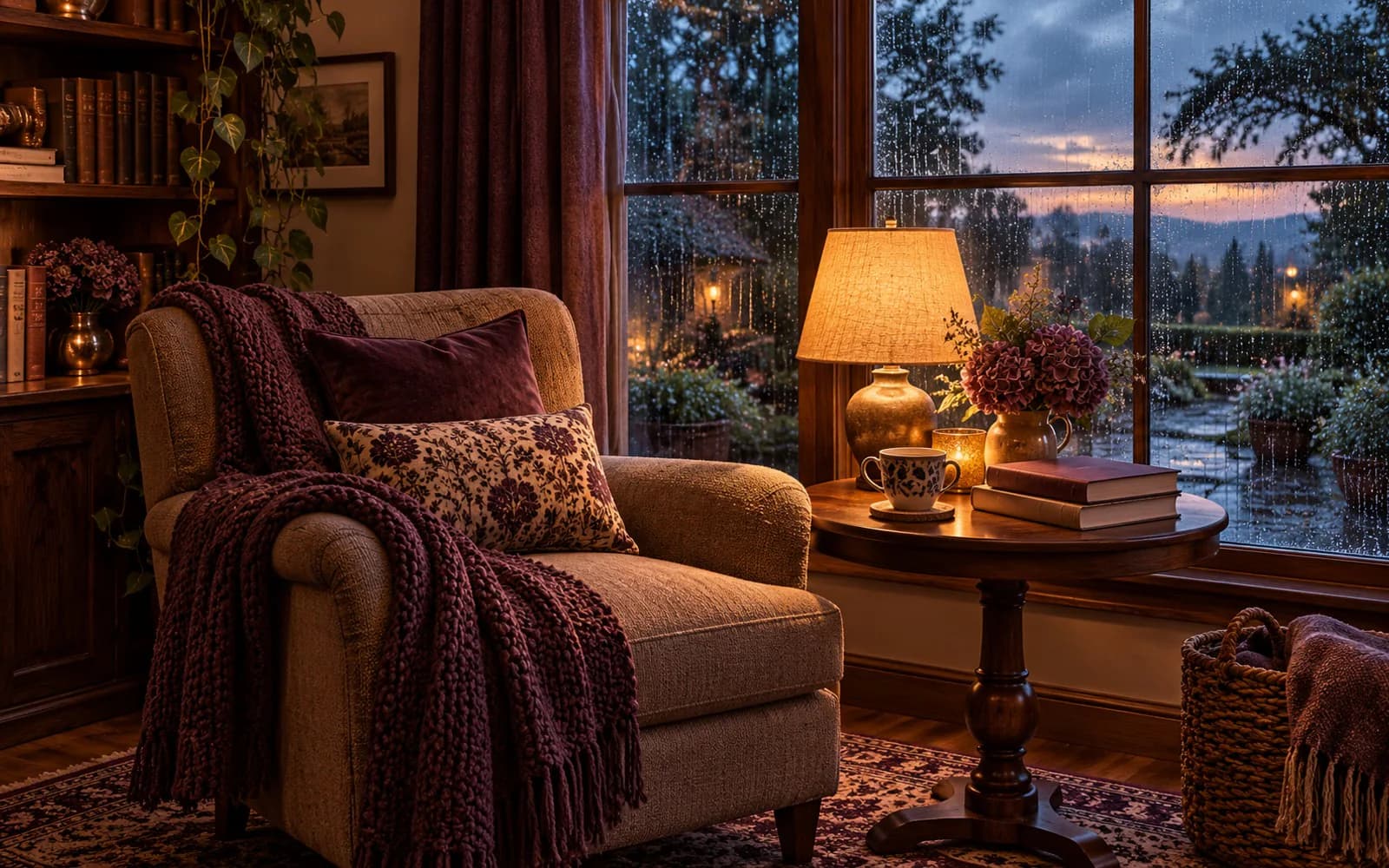
Cover image: An original AI-generated illustration, not a Higgsfield output or a photograph of a real location.
A rainy window. A warm reading lamp. A little steam rising from a cup. A cozy video can begin with a single scene and a small amount of movement—you don't need to record your room or appear on camera.
This guide gives you seven original scene concepts and starting prompts to explore in Higgsfield. Choose one, build a clear image, then add restrained motion. These are creative starting points, not tested presets or promises of a particular result.
Affiliate disclosure: This guide contains a Higgsfield affiliate link. If you purchase through it, we may earn a commission. This is a research-based guide, not a personal-use review.
Explore Higgsfield and check its current plans.
Start with one scene, one light source, and one movement
For your first experiment, use an empty reading corner beside a rainy window. Keeping people, readable book titles, and elaborate moving objects out of the scene gives you fewer details to inspect and correct.
Decide what should move before you generate anything. Rain outside the window might be enough. A moving camera, billowing curtains, flickering lights, and steam all at once can make the result harder to control.
Higgsfield describes tools for directing video and camera movement. Its available controls depend on the workflow and model you select. Use a dedicated camera setting when one is available, and make your motion prompt agree with it. Official camera-control guidance
1. Rainy reading corner
The idea: A quiet chair, warm light, and rain beyond the glass.
Image prompt: A cozy reading corner beside a large rain-covered window, empty upholstered armchair, knitted blanket, closed books without readable lettering, warm table lamp, muted brown and cream palette, soft evening light, realistic interior illustration, uncluttered composition, no people, no logos.
Motion prompt: Camera remains stationary. Raindrops slowly travel down the outside of the window. Furniture, books, lamp, and blanket remain still. Lighting stays consistent throughout.
Check: Window frames should hold their shape; books should not multiply or change size.
2. Autumn café window
The idea: A small café table overlooking a quiet autumn street.
Image prompt: Empty café table beside a window, ceramic cup on a saucer, folded linen napkin, warm wood textures, orange autumn leaves outside, overcast afternoon, intimate framing, no people, no signs, no readable text.
Motion prompt: Fixed camera. A few leaves drift slowly outside the window. The cup, saucer, table, and interior remain stationary. No passing vehicles or people.
Check: Leaves should stay outside; the cup handle should remain intact.
3. Gentle Halloween nook
The idea: Friendly seasonal styling rather than a frightening reveal.
Image prompt: Cozy Halloween shelf corner, small smiling ghost-shaped decorative light, miniature pumpkins, paper bats on the wall, warm amber lighting, soft neutral textiles, inviting evening atmosphere, no people, no branding, no text.
Motion prompt: One very slow forward camera movement toward the shelf. Decorations remain completely still. The ghost light maintains a steady warm glow. No flashes, sudden movement, or new objects.
Check: Keep the ghost expression consistent. This is a fictional styling scene, not footage proving the features of a specific shop product.
4. Snowy cabin window
The idea: Warm indoor light against gently falling snow.
Image prompt: Quiet cabin interior, warm reading light, wooden window frame, empty chair with a wool blanket, snow-covered trees outside, cool blue exterior and warm amber interior, no people, no text.
Motion prompt: Stationary camera. Gentle snow falls outside the window. Interior objects and lighting remain unchanged. Snow does not enter the room.
Check: Snow should not turn into smoke or obscure the whole frame.
5. Peaceful garden morning
The idea: A small garden scene with leaves moving in a light breeze.
Image prompt: Quiet garden courtyard at dawn, stone path, potted plants, dew on green leaves, soft diffused morning light, restrained natural colors, no people, no animals, no buildings with signs.
Motion prompt: Camera stays fixed. Leaves sway gently in a light breeze. Pots and stones remain stationary. Light and shadows stay stable.
Check: Avoid plants growing, shrinking, or changing species during the shot.
6. Candlelit writing desk
The idea: A moody desk scene with one small animated detail.
Image prompt: Dark wood writing desk, closed notebook without lettering, ceramic pen holder, one candle in a glass holder with clear space around it, deep brown backdrop, warm low light, no people, no logos.
Motion prompt: Fixed camera. Only the candle flame moves gently. Desk objects stay unchanged, with no smoke and no large brightness fluctuations.
Check: Keep the flame contained to the wick. An AI scene does not demonstrate real-world fire safety.
7. Dreamy moonlit landscape
The idea: A clearly fictional scene for an atmospheric visual mood.
Image prompt: Dreamlike moonlit meadow, distant mountains, pale silver sky, soft low mist, restrained blue and lavender palette, painterly cinematic illustration, no people, no text.
Motion prompt: Stationary camera. Thin mist drifts slowly across the ground. The moon, mountains, horizon, and lighting stay fixed.
Check: Mist should move gently rather than repeatedly hiding and revealing the landscape.
Turn your idea into a short video
- Choose where you will publish. Plan a vertical composition for a vertical social post, or a landscape composition for a landscape video. Check the destination's current upload requirements before exporting.
- Create or prepare your starting image. Use your own generated visual or an image you have permission to upload. Resolve obvious image errors before animating it.
- Select an appropriate workflow in Higgsfield. Look for an image-to-video option if you want to animate that image. Confirm the selected model supports your intended format and controls.
- Add one motion instruction. Begin with one of the motion prompts above. If a dedicated setting controls the camera, avoid contradicting it in the prompt.
- Check the credit cost before generating. Start with a modest experiment rather than a batch of expensive renders.
- Inspect the entire result. Watch for warped objects, unexpected people, lighting changes, flicker, and an abrupt ending. Change one instruction at a time when retrying.
- Add titles in your editor. Keep generated scenes free of important text, then add readable text afterward. Label AI-generated visuals appropriately when publishing.
Can these clips become seamless loops?
Possibly, but a short clip is not automatically a seamless loop. Compare its first and last frames and watch the transition repeatedly. Fixed framing can make a loop easier to attempt, but weather, light, and moving objects may still jump at the boundary. Test an edit or crossfade and keep it only if the transition looks natural.
Before paying for a plan
Check the current plan's model access, credit allowance, generation costs, output options, cancellation conditions, and any usage restrictions relevant to your work. Subscription access alone does not tell you how many usable clips you will get: unsuccessful experiments can consume credits too.
We do not quote a fixed price here because plans and offers can change. Check Higgsfield's current pricing.
Make the scene useful beyond one post
A single concept can become a video, a still mood board, and a prompt card. For Pinterest, give each post a specific purpose: “Rainy Reading Corner AI Video Prompt” tells a reader more than “Amazing AI Tool.” Link to this guide so they can find the prompt and planning steps again.
These visuals can suggest a calm atmosphere; they are not a treatment for stress, anxiety, or sleep problems. Avoid presenting generated locations as places you visited or fictional rooms as your own home.
Ready to explore one scene? Visit Higgsfield through our affiliate link, check the current options, and start with a single image and one gentle movement.